Bass Booster App Download For Android
8 March 2026
20MB
V3.3.4
Android+5
Description
Music is one of the most enjoyable parts of life. But sometimes, your phone or tablet may not deliver the full power of sound. That’s where the Bass Booster App comes in. This App helps you amplify music, videos, and games, giving you louder, deeper, and richer audio.
What is Bass Booster App?
The App is a lightweight and powerful Android application designed to improve your sound experience. It enhances both volumes and bass, making music, videos, and games sound more immersive. The App works with almost all music players, video apps, and games.
With this App, you don’t need technical knowledge. Just install it, adjust the sliders, and enjoy music like never before. The Bass Booster App also supports various audio formats like MP3, WAV, FLAC, AAC, and OGG, giving you the freedom to enhance any track.
Key Features of Bass Booster App
It comes with multiple features to make your music experience amazing. Let’s look at the key Features.
1. Universal Equalizer
The app has a 9-band equalizer, which allows you to adjust low, mid, and high frequencies. This means you can create the perfect sound for your favorite music or movies.
2. Headphone Support:
Whether you use earphones, headsets, or wireless headphones, the enhanced audio quality for all types of devices.
3. Car Audio Ready
If you love listening to music in your car, connect your phone via Bluetooth or AUX. Boosts bass and volume for a powerful car audio experience.
4. Home Cinema Experience
Watch movies or videos with richer sound. Works on any Android device, and you can cast your device to a TV for better home cinema audio.
5. Presets for Easy Use
This app has pre-designed a preset for different audio needs:
- Music
- Games
- Car Audio
- Headphones
You can select a preset or create your own custom sound profile.
6. Real Time Boost
Works in real-time, so changes take effect immediately. You can adjust the bass and volume while listening without restarting the app.
7. Lightweight and Free
The app is lightweight, using minimal storage space. Most versions are free to download and ad-free, giving you smooth performance without interruptions.
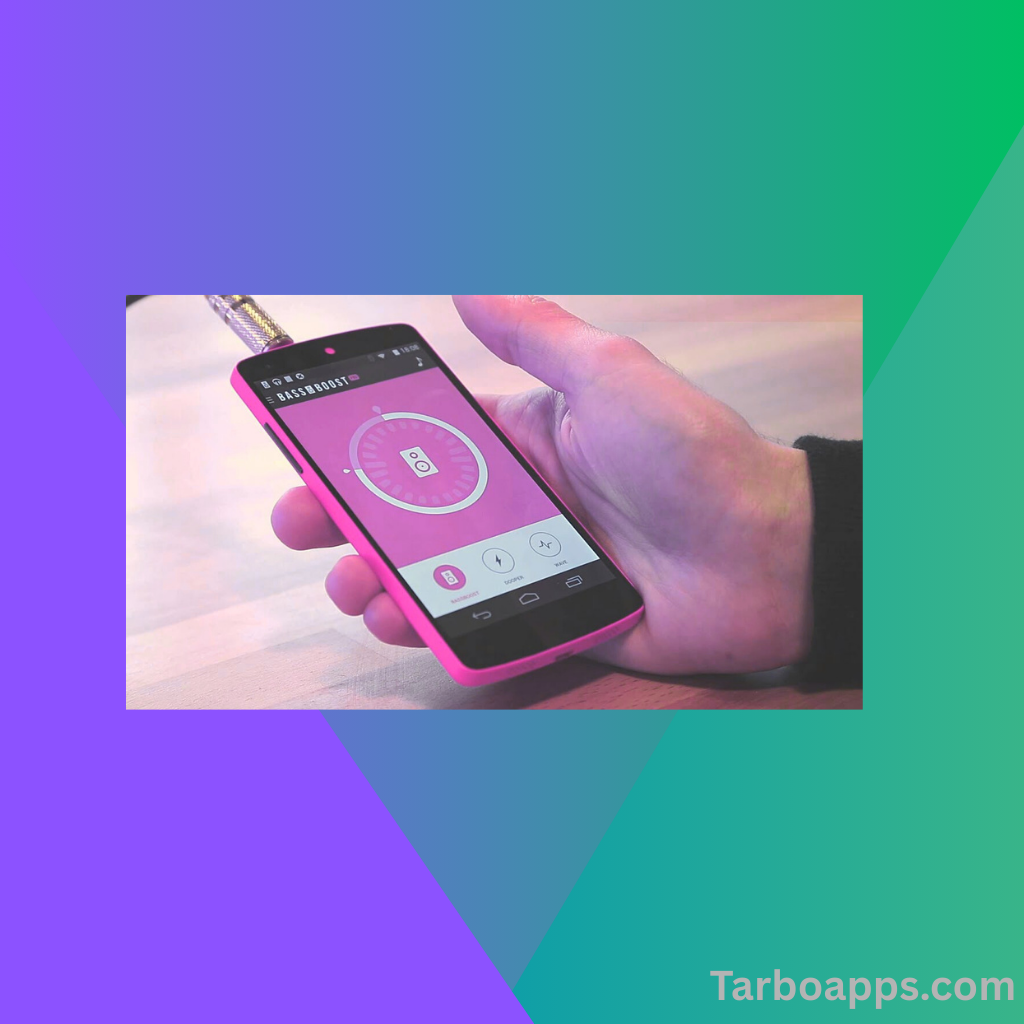
Image of the Bass Booster App
Why You Need Bass Booster App on Android
Many Android devices have limited speakers or audio output. Even if your music is good. It may sound weak app fixes this by:
- Making soft songs louder
- Enhancing low frequencies for deep bass
- Improving clarity in dialogues and vocals
- Allowing separate control for different apps or tabs
Whether you are a music lover, gamer, or movie fan, this app improves the audio experience for everyone.
How to Download Bass Booster APK for Android?
Downloading is easy and safe if you follow these steps carefully:
Step 1: Enable Unknown Sources
Since APK files are installed outside Google Play Store:
- Go to Settings Security
- Enable Unkown sources
- This allows installing from Websites.
Step 2: Download
- Search for the Bass Booster App for Android on a trusted website.
- Make sure the APK version matches your Android version (Android 9+ recommended).
Step 3: Install
- Open the download file.
- Tap Install and wait a few seconds.
- Once installed, open the app and grant permissions if required.
Step 4: Start Boosting
- Open the app.
- Choose a preset or manually adjust the sliders.
- Enjoy enhanced music immediately.
How to Use the Bass Booster App Effectively?
Using it is very simple. Here’s a beginner-friendly guide.
- Open the App: Launch Bass Booster after installation.
- Select Presents: Choose from presets like Music, Movies, or Games for quick settings.
- Adjust Sliders: Use the equalizer sliders to adjust low, mid, and high frequencies.
- Boost Bass: Turn on the toggle for deeper sound.
- Set Volume: Increase volume carefully to avoid distortion.
- Test with Music or Video: Play your favorite songs or movies to hear the difference.
Tips: Don’t max out bass and volume at the same time, as it may cause distortion or hurt your ears.
Supported Audio Formats
This app supports all common formats:
- MP3
- WAV
- FLAC
- AAC
- OGG
This means you can enhance almost any music file on your Android device.
Safety and Privacy
Most trusted versions do not collect your personal data. Always download the APK from a trusted source. Avoid unofficial sites that may include malware.
User Reviews and Ratings
The app is highly rated on the app stores:
- Over 1 million downloads
- Average rating: 4.8 – 5 stars
- Users love it for easy controls, powerful bass, and smooth performance
Many users report a huge improvement in music, games, and movie sound quality after using the app.
FQS
Q1: Does Bass Booster work on all Android phones?
Yes, it works on most Android devices with version 9.0 and above.
Q2: Is it safe to download the APK?
Yes, if you download from a trusted source. You can always check reviews and developer information.
Q3: Can I use it while watching YouTube or Netflix?
Yes, works with videos, music apps, and games.
Q4: Will it damage my speakers?
No, but avoid maxing out bass and volume to prevent distortion.
Extra Tips for Better Sound
- Use headphones: You will notice more differences in sound clarity and bass.
- Try different presents: Find the best sound for each activity.
- Adjust gradually: Slowly increase bass and volume to protect your ears.
- Pair with an external speaker: The app works well with Bluetooth or AUX speakers for a powerful audio experience.
Conclusion
The Bass Booster App Download for Android is perfect for anyone who loves music, movies, or gaming. It enhances the basis, increases volume, and improves clarity, all in one app. With presents, a universal equalizer, and real-time adjustments, the app is beginner – friendly and powerful.
Whether you are listening on headphones, in your car, or at home, the music makes a powerhouse.
Download links
How to install Bass Booster App Download For Android APK?
1. Tap the downloaded Bass Booster App Download For Android APK file.
2. Touch install.
3. Follow the steps on the screen.